PDF attachment signing
info
With PDF signing, you can send your attachments to get signed along with your form.
getting started
These features can be used on external PDFs that have been attached to a Forms Live form. For information on how to upload an external PDF see Attaching Files.
Adding Signatures#
- Scroll down to the uploaded PDF and Hover to the top left corner of the page to reveal the
Edit Fieldsbutton.
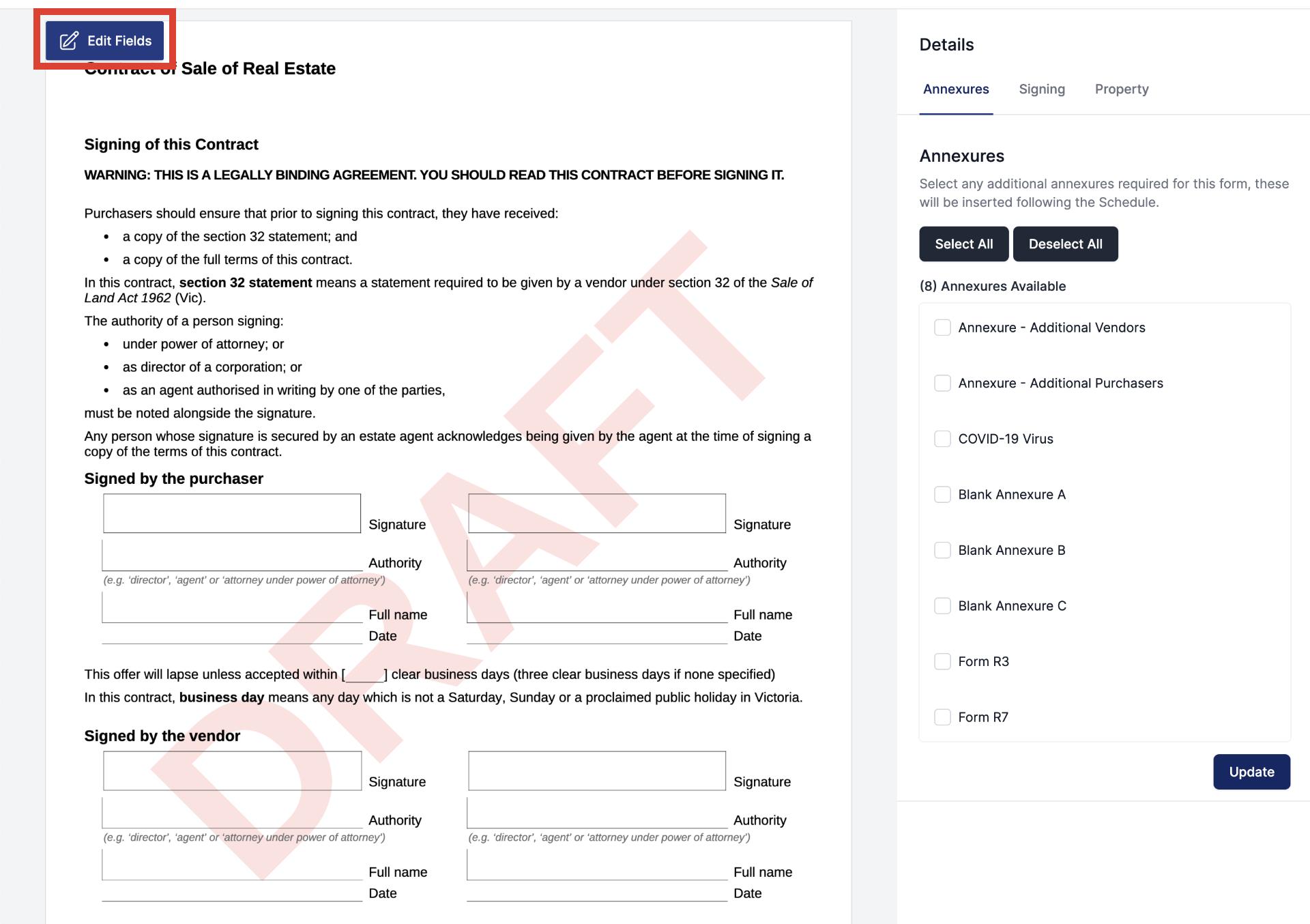
Fig. 1.0 - Hovering over the PDF document to reveal the Edit Fields button
- Click the
Edit Fieldsbutton at the top left of the page to activate the PDF editor.
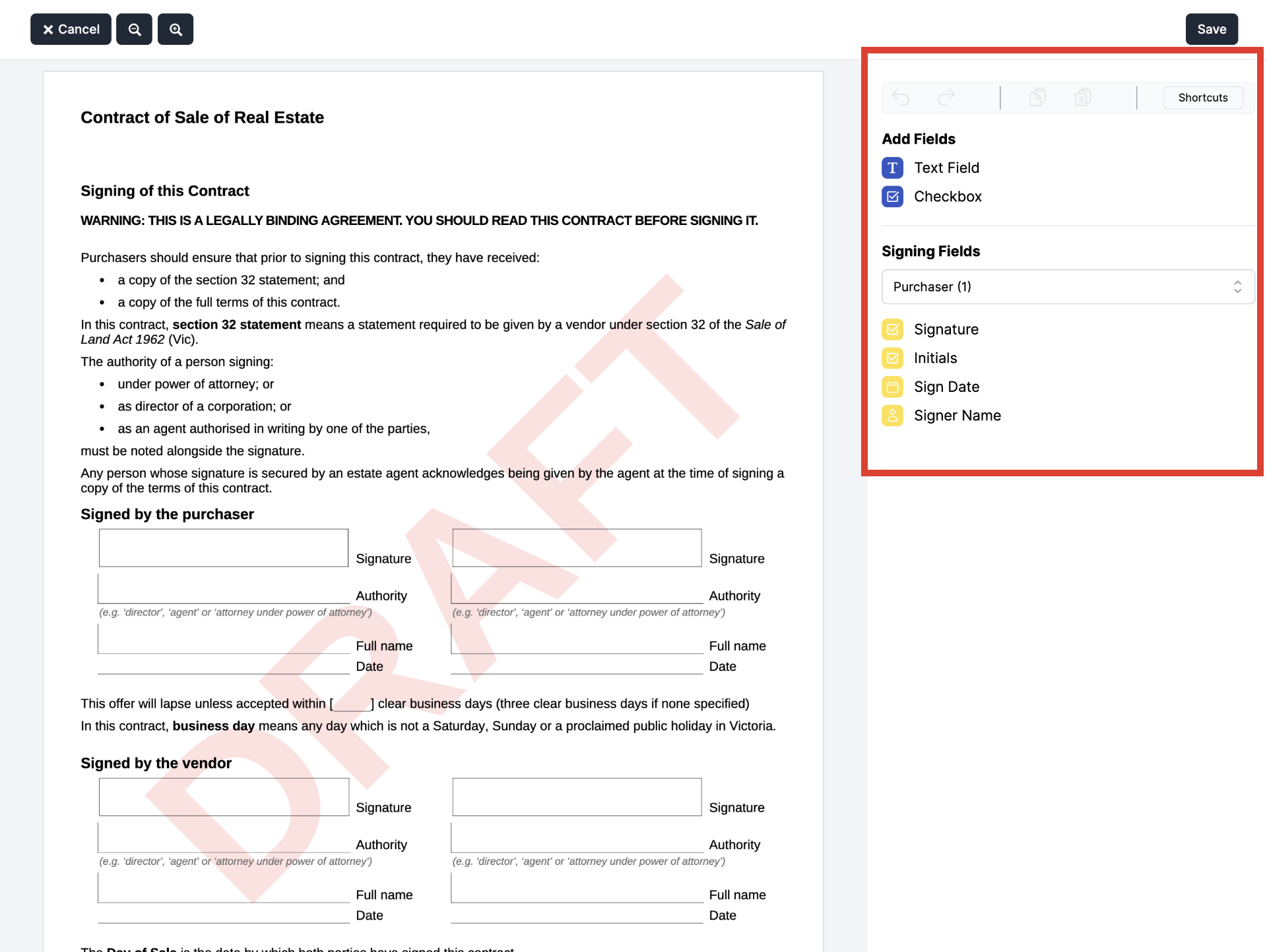
Fig. 1.1 - Hovering over the PDF document to reveal the Edit Fields button
- The PDF editor will now appear in the
sidebarto the right of the PDF.
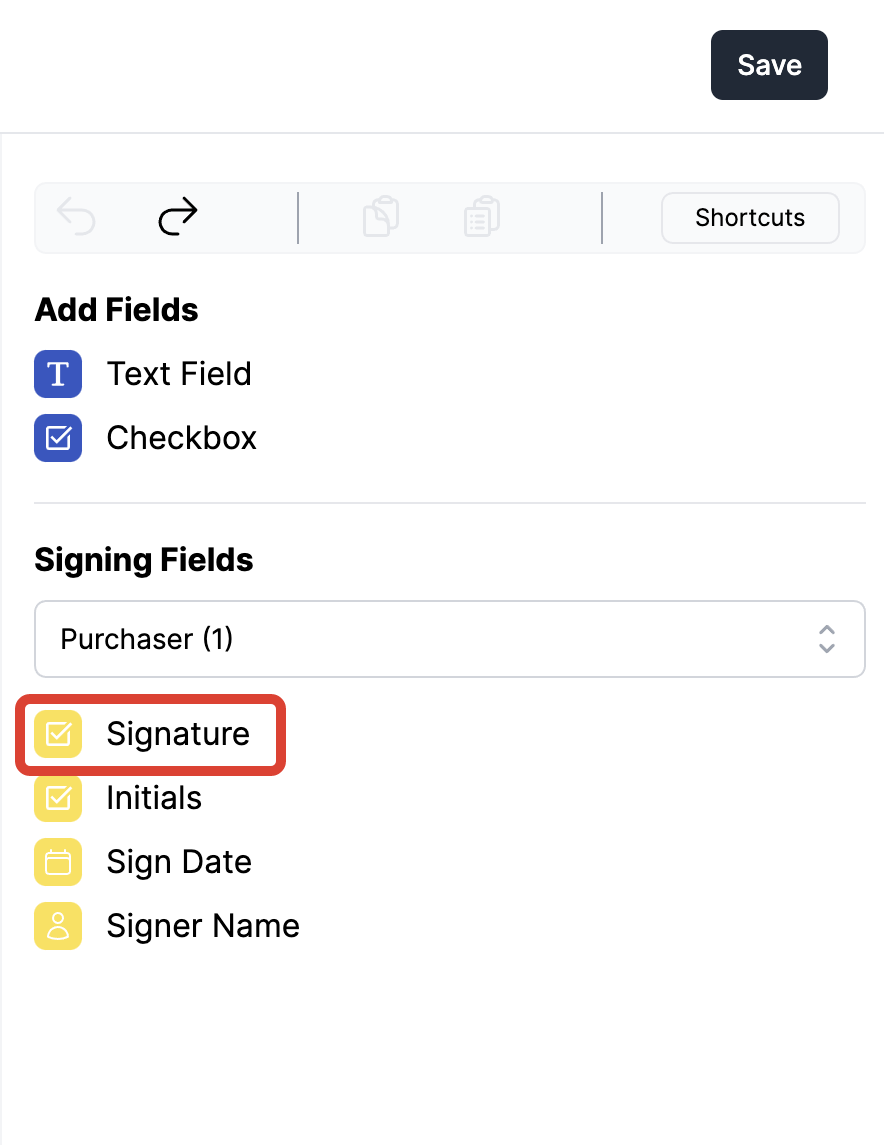
Fig. 1.2 - The Edit Fields button will activate the new sidebar
- Select the party you require a signature from to activate the
Signature Field.
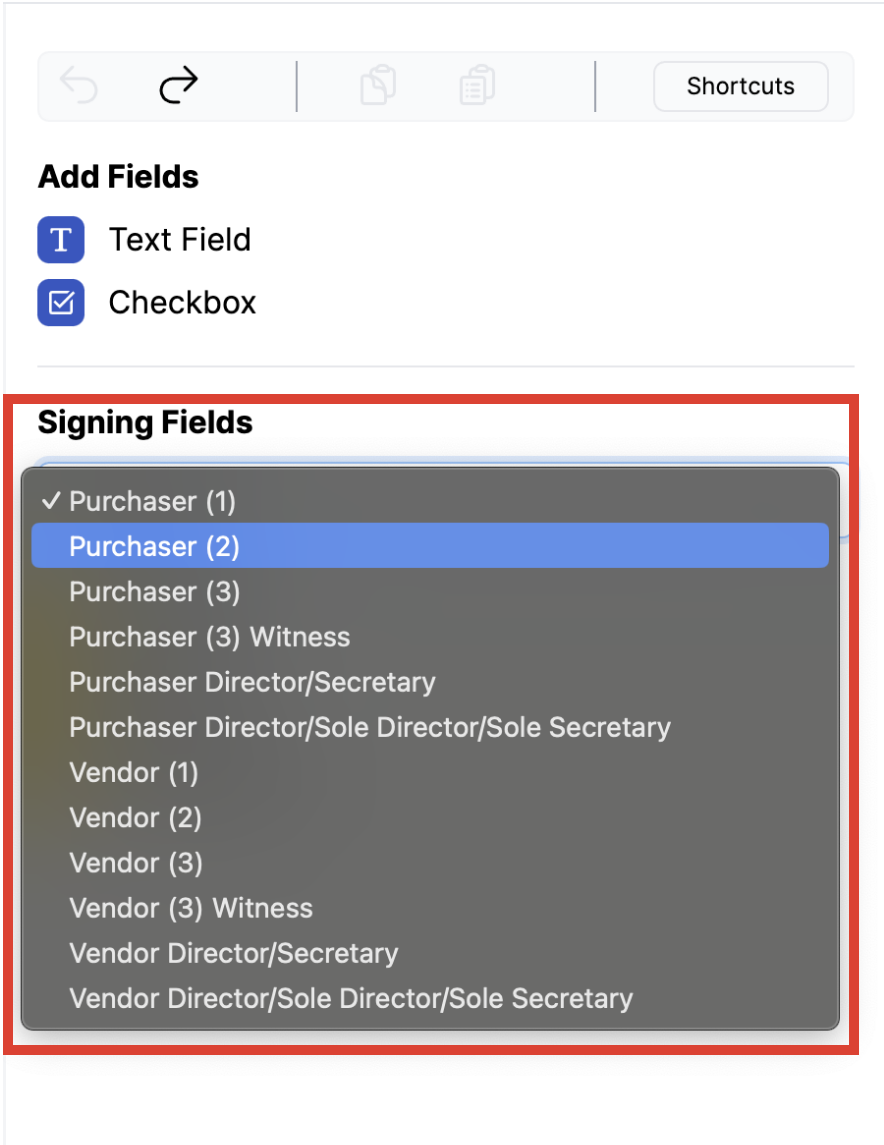
Fig. 1.3 - Selecting the Signature Field Type
- Click
Signaturefrom theSigning Fieldsmenu.
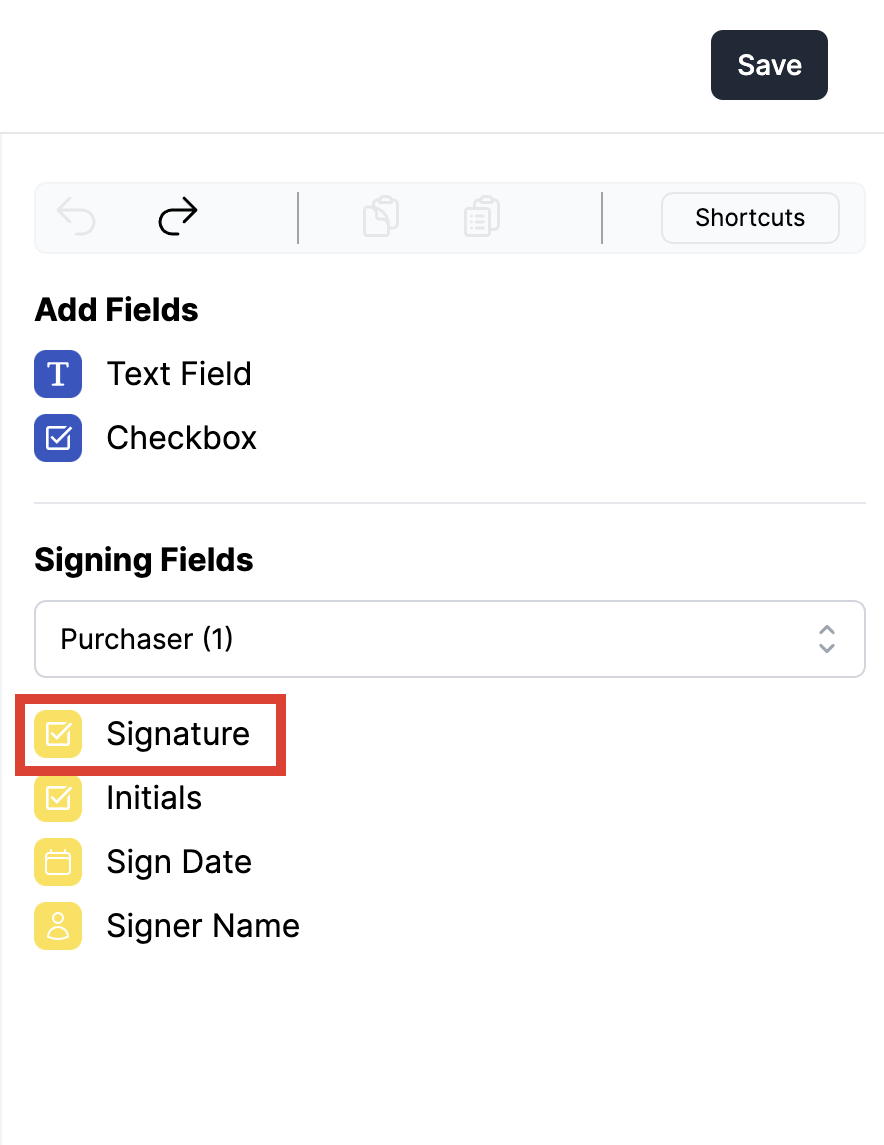
Fig. 1.4 - Selecting the Signature Field Type
- Click anywhere on the PDF to drop the
Signature,NameandDatefields into the document.
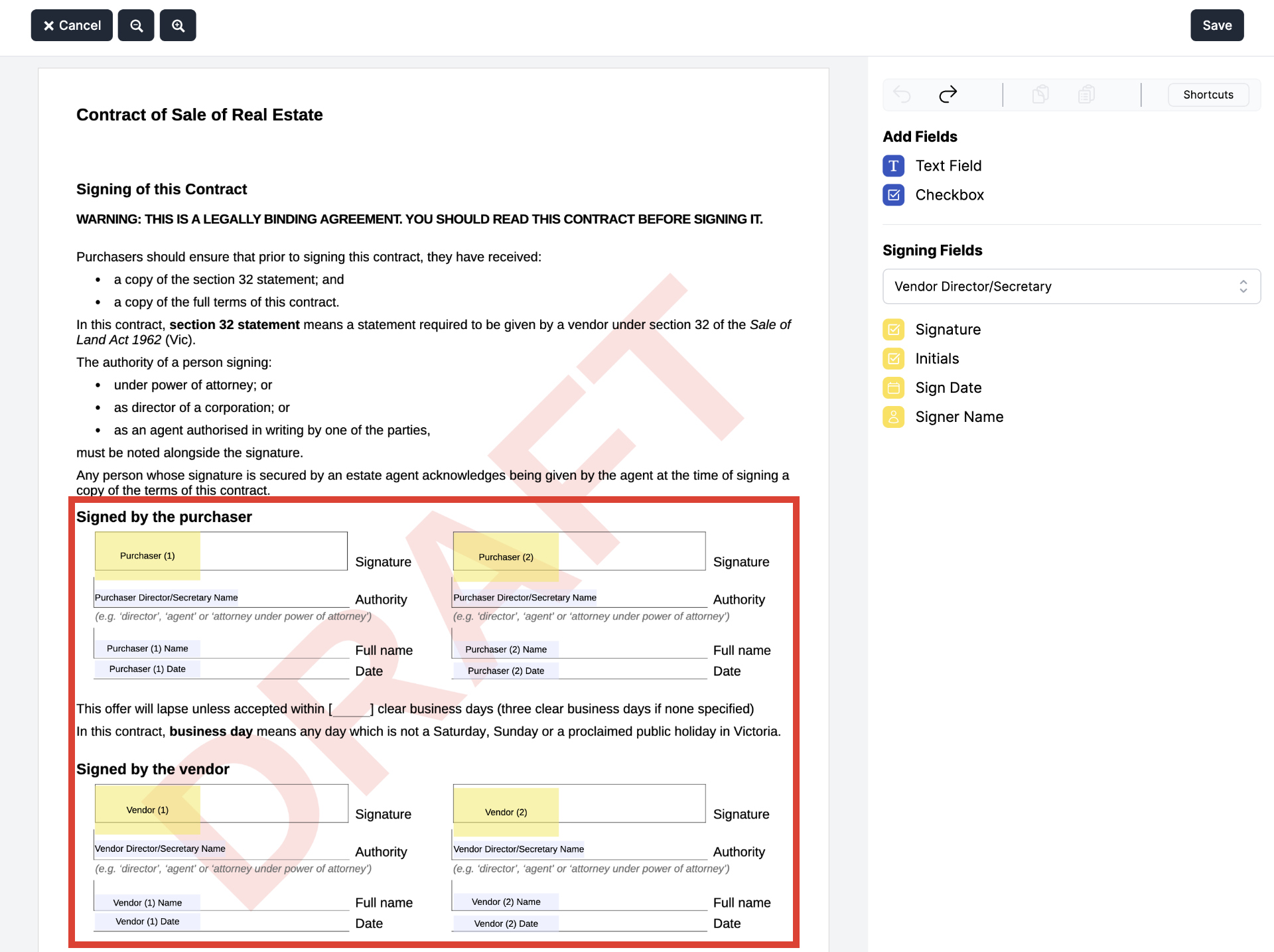
Fig. 1.5 - Selecting the Signature Field Type
Edit Signature Fields#
To reposition
Signature Fields, Highlight theSignature,NameandDateto group the fields, then Drag & Drop the set ofSigning Fieldsinto the preferred position.To add individual
Signer Nameand/orSigner Datefields, Click on field name then Click anywhere on the PDF to drop the field into the document.

Fig. 2.0 - Adding individual Name and Date Signing Fields
- To Remove a
Signature, Select all the theSigning Fields, followed by the delete key on your keyboard.
Mac Users
Mac users MUST use the fn + del keys to delete a text box field.
- Click
Saveto confirm signers and placement of fields.
Download Attachment#
Once the form and attachment have been signed, return to the Forms page and select the relevant form.
Click the
Downloadicon on the top of the page to open thePrint Optionspop-up.

Fig. 4.0 - The Download button at the top of the page
- Tick the PDF for signing under the
Attach Filessection andSign Here tabsto select all the parties you need a signature from - then clickPrint.
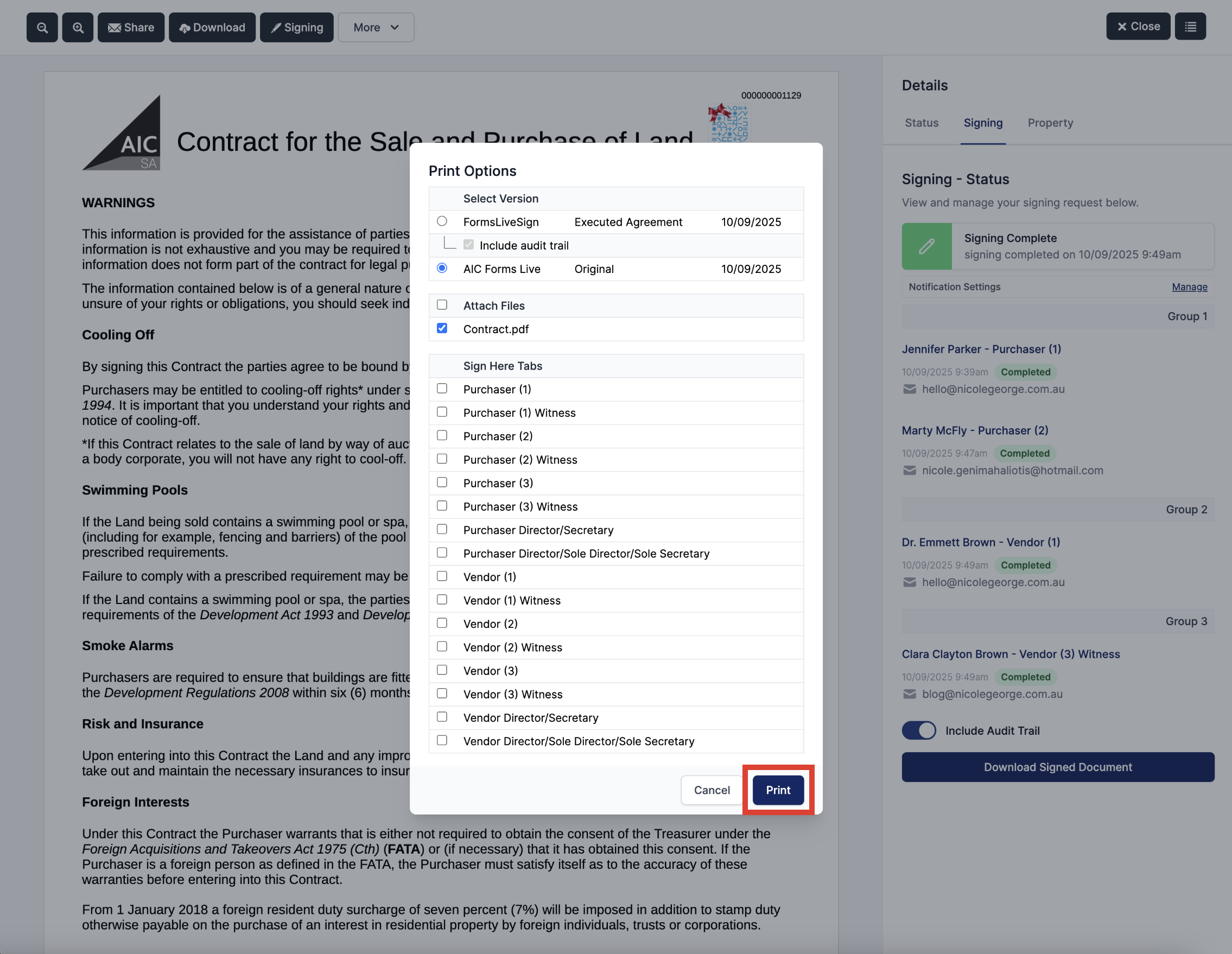
Fig. 4.1 - The Print Options pop-up to select files to download